
Mastering NotebookLM
Course Overview In an era of information overload, the ability to rapidly synthesize, analyze, and transform scattered data into actionable knowledge is a critical professional and academic advantage. This course is designed to take you from information fatigue to instant insight using NotebookLM, an AI-powered research assistant built with Gemini for advanced reasoning. Unlike traditional, generic AI models that pull from the entire internet and risk hallucination, NotebookLM creates a personalized, secure, closed loop of intelligence grounded exclusively in the documents you trust. Through hands-on projects, you will master the full end-to-end workflow of NotebookLM: Input (building an advanced knowledge …

Curriculum
- 1 Section
- 0 Lessons
- Lifetime
- Mastering NotebookLM0
Overview
Course Overview
In an era of information overload, the ability to rapidly synthesize, analyze, and transform scattered data into actionable knowledge is a critical professional and academic advantage. This course is designed to take you from information fatigue to instant insight using NotebookLM, an AI-powered research assistant built with Gemini for advanced reasoning. Unlike traditional, generic AI models that pull from the entire internet and risk hallucination, NotebookLM creates a personalized, secure, closed loop of intelligence grounded exclusively in the documents you trust.
Through hands-on projects, you will master the full end-to-end workflow of NotebookLM: Input (building an advanced knowledge hub), Understand (grounded chatting and reasoning), and Output (transforming research into multimedia deliverables via the Studio). By the end of this course, you will be equipped to deploy NotebookLM as your ultimate personal research and thinking partner to power your work, study, or creative endeavors.
Course Objectives
By completing this course, participants will be able to:
- Architect Custom Knowledge Bases: Efficiently import, organize, and manage diverse multimodal sources within NotebookLM while maximizing system word and source capacities.
- Leverage AI Research Agents: Deploy automated Fast and Deep Research agents to discover, browse, and curate comprehensive web-based intelligence reports.
- Conduct Grounded Analysis: Interrogate uploaded source material using precise natural language queries, navigating source controls, and using click-to-verify citations to eliminate hallucinations.
- Synthesize Text into New Formats: Transform complex, linear source material into polished text artifacts, structured data tables, and study materials using the Studio workspace.
- Generate Dynamic Multimedia: Produce customized, professional-grade Audio Overviews (podcasts) and Video Overviews (narrated slide presentations) from source documentation.
- Deploy Collaborative Knowledge Sharing: Set up team-based shared notebooks with appropriate access levels and publish standalone research engines to the web.
Learning Modules
Module 1: Introduction to Grounded AI & the 3-Panel Workspace
- Core Concepts: Understanding the difference between Generic AI (internet-trained, prone to hallucination) and Grounded AI (closed-loop, source-restricted intelligence).
- The Interface: Navigating NotebookLM’s 3-Panel Workspace architecture: Input (Sources), Understand (Chat), and Output (Studio).
- Privacy & Guardrails: Understanding data privacy frameworks (how NotebookLM protects your information by ensuring data is not used to train models for standard, education, or enterprise tiers).
Module 2: Step 1 – Building Your Multimodal Knowledge Hub (INPUT)
- Document Integration: Uploading and optimizing text-based assets including Google Docs, Google Slides, PDFs, Text (.txt), and Markdown (.md) files.
- Multimedia & Web Ingestion: Integrating Web URLs, public YouTube URLs (with automatic transcript extraction), and importing/transcribing raw audio formats (.mp3, .wav).
- Capacity Management: Navigating technical limits—handling up to 500,000 words per source and understanding source scaling across Standard (50 sources), Pro (300 sources), and Ultra (600 sources) tiers.
- Agentic Search: Deploying Fast Research for immediate web/Drive content retrieval and Deep Research to have Gemini browse hundreds of websites and compile synthesized multi-page reports directly into your notebook.
Module 3: Step 2 – Interrogating and Reasonings with Your Sources (UNDERSTAND)
- The Grounded Chat Environment: Writing effective prompt strategies to question multiple sources simultaneously without inventing facts.
- Source Control & Filtering: Using checkboxes within the Sources panel to direct the AI to answer using only specific documents or chronological sets.
- Fact-Checking & Verifiability: Mastering inline citations, hovering to reveal direct source quotes, and using click-to-verify capabilities to jump instantly to exact passages in the original source.
Module 4: Step 3 – The Studio: Text Synthesis & Active Recall (OUTPUT)
- Structured Synthesis: Generating custom, professional documents including Briefing Docs, FAQs, Timelines, Strategic Reports, and Data Tables.
- Active Learning and Assessment tools: Building interactive Study Guides, Flashcards (with instant contextual “Explain” tools), and customized Quizzes with adjustable difficulty settings (Easy, Medium, Hard).
Module 5: Step 3 – The Studio: Multimedia Generation (AUDIO & VIDEO)
- Audio Overviews (Deep-Dive Podcasts): Creating AI-hosted podcast discussions. Customizing formats (Deep Dive, The Brief, Critique, Debate), adjusting length, and configuring outputs across 80+ languages.
- Interactive Audio Mode: Using voice commands to interrupt the AI podcast hosts mid-stream, ask follow-up questions, and steer the discussion flow.
- Video Overviews: Transforming flat text into AI-narrated explainer videos that automatically integrate relevant images, diagrams, quotes, and data tables from your sources. Selecting visual styles (e.g., Whiteboard, Sketch, Anime, Retro Print).
Module 6: Collaboration, Publishing, and Real-World Use Cases
- Team Workspaces: Inviting colleagues to your notebook with granular permission settings: Viewers (read-only) vs. Editors (full content addition and note generation).
- Public Publishing: Deploying web-ready public links of your notebooks to share curated knowledge hubs with the world (consumer accounts).
- Domain Applications & Case Studies:
- The Corporate/Legal Professional: Managing dense depositions, finding internal document discrepancies, and rapid RFP proposal drafting.
- The Marketer & Strategist: Parsing competitor reports to construct instant SWOT analyses and content calendars.
- The Academic & Student: Managing a semester’s worth of textbook chapters and lecture notes for hyper-efficient exam prep.
- The Product Manager & Content Creator: Turning spec tickets into explainer videos and testing written script dynamics via dual-host audio critiques.
- On-the-Go Mobility: Seamlessly syncing web notebooks to the NotebookLM iOS and Android mobile applications for mobile reviewing and offline audio consumption.
Learning Outcomes
Upon successful completion of the course, learners will achieve the following outcomes:
- Transform Content Formats: Demonstrate the ability to take a flat, hundred-page text source and transform it into a 5-minute synthesized presentation deck, a multi-branch mind map, and a structured data table.
- Eliminate Hallucination in Research: Show proficiency in constructing cross-document analytical prompts that trace every single claim back to a verified, clickable inline source citation.
- Establish a Collaborative Knowledge Base: Build and publish a fully functioning, shared team notebook that operates as a secure, real-time “living document” repository for an organization or project team.
- Master Voice-to-AI Interaction: Actively engage with generated audio media using interactive voice prompts to dynamically shape ongoing AI briefings during professional commutes or study sessions.
You May Like


Think, Communicate & Lead with AI
Course Overview : Artificial Intelligence is transforming the way we work, communicate, learn, and make decisions. However, success in the AI era is not...
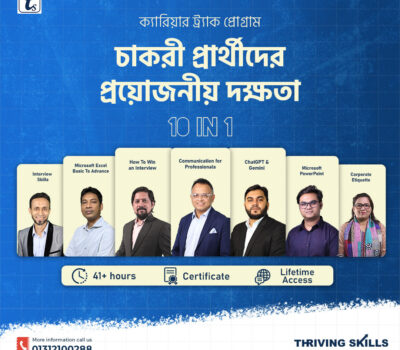

Future-Proof Skills for Career
The Essential Skills for Job Seekers bundle is a career-focused professional development program designed to help students, fresh graduates, and job seekers become fully...
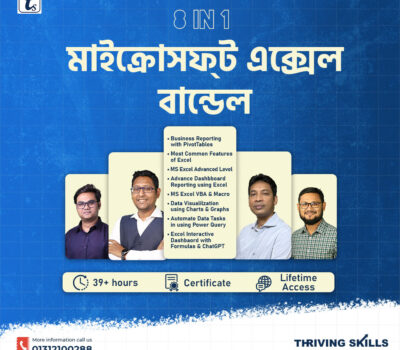
Microsoft Excel Bundle
The Microsoft Excel Bundle is a complete, career-focused learning package designed to take you from basic to advanced and automation-level Excel skills in one...
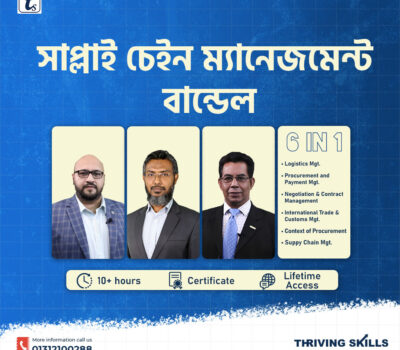

Supply Chain Management Bundle
The Supply Chain Management Bundle is a comprehensive professional training package designed for individuals who want to build strong expertise in supply chain operations,...
Essential Skills for Job Seekers
The Essential Skills for Job Seekers bundle is a career-focused professional development program designed to help students, fresh graduates, and job seekers become fully...

Course Features
- Lecture 0
- Quiz 0
- Duration 2 hours
- Skill level All levels
- Language Bangla
- Students 0
- Certificate Yes
- Assessments Yes